1
Your agent calls your leads for you
Your agent calls, follows up and books the meeting. You see how many calls your agent made and how many turned into meetings.

Danielle is on the phone with you: tap the part she names
See it · Hear it · Read it
Take the tour of the app, hear our recorded calls and flip through the brochure. Demo business, made-up people.
Stay on the call. When she says a number, find it here and you will see what she means. This is a demo roofing business with made up people.
Your agent calls, follows up and books the meeting. You see how many calls your agent made and how many turned into meetings.
Customers watch a short video and tap a button to reply. You see how many watched and how many answered.

Your chat agent answers visitors in seconds and can book a visit. You switch your agent on or off with one tap.

Pick a ready made set of friendly emails and change any word. They go out spaced apart so nobody gets forgotten.

See how many opened and how many clicked. A draft waits until you press send.

Your coach Walt lists who to call first. Calls, deals and meetings sit in one place.

Every call and email sits in one list with a short summary of each call. Nobody has to ask who talked to them last.

Each deal moves from new lead to won. The money in play is added up for you.

Tasks are grouped by overdue, today and later. Tick one off and it is gone.

When a customer says yes your agent books the visit. You see the next seven days at a glance.

See what is draft, sent and signed. Clients sign from their phone.

Paid, pending and overdue money are split out. Overdue invoices are flagged so you can chase them.

Turn chat, text and email on or off with a switch. Set the hours so it works day and night or only when you want.

Sample calls
First she makes the opening call. Then she calls back to follow up. Same agent, two of our voices.
Danielle calls a property manager for a roofing company. Every company and person in these calls is made up for the demo.
Step 1
The receptionist tries "just send us an email." One good question about storm leaks later, she puts the owner on the line, and he agrees to a callback Thursday at ten.
Step 2
She calls the owner back right on time, answers his questions and books a free roof inspection for Tuesday at nine.
More sample calls
Six businesses, each with an opening call and the follow-up a week later. Every company and person in them is made up for the demo.
Premium voice
The contractor already has a roofer and does not take sales calls. The agent asks what happened the last time his crew did not show, and he agrees to see their license, insurance and recent jobs.
How it ended: Wants the license and recent jobs
The brochure
The AI agents, the in-market data, the tools, the plans and the prices. Easy to read on your phone or to print for your team.
Same information, two sizes. View brochure is the full-size one: 10 pages, best on a computer or to print. Phone version is 19 short pages made for a phone screen. Free to share.
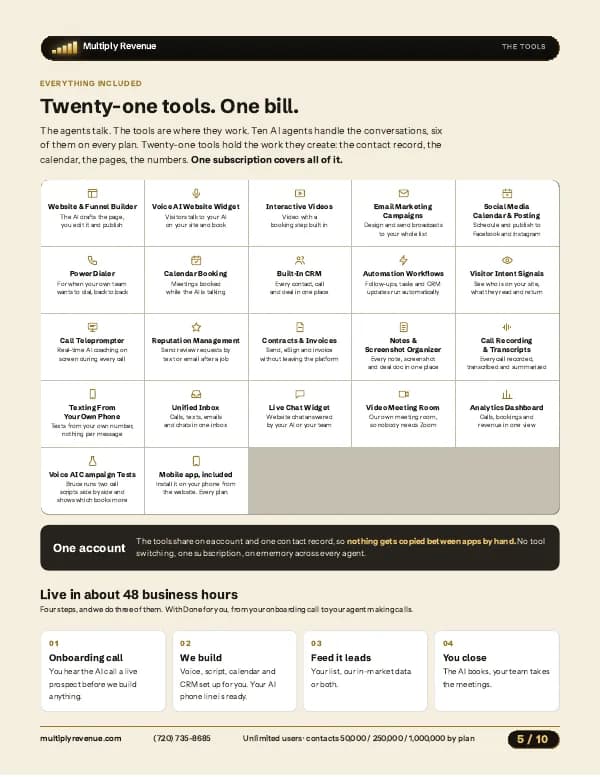
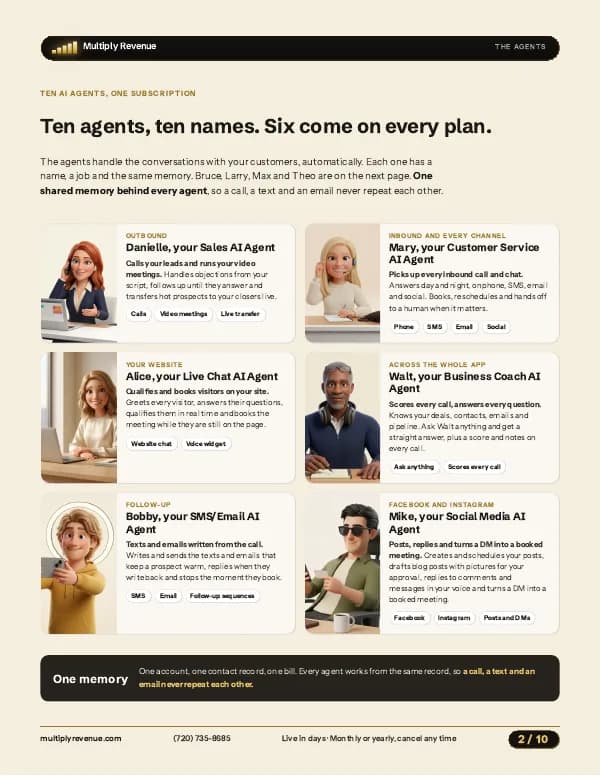
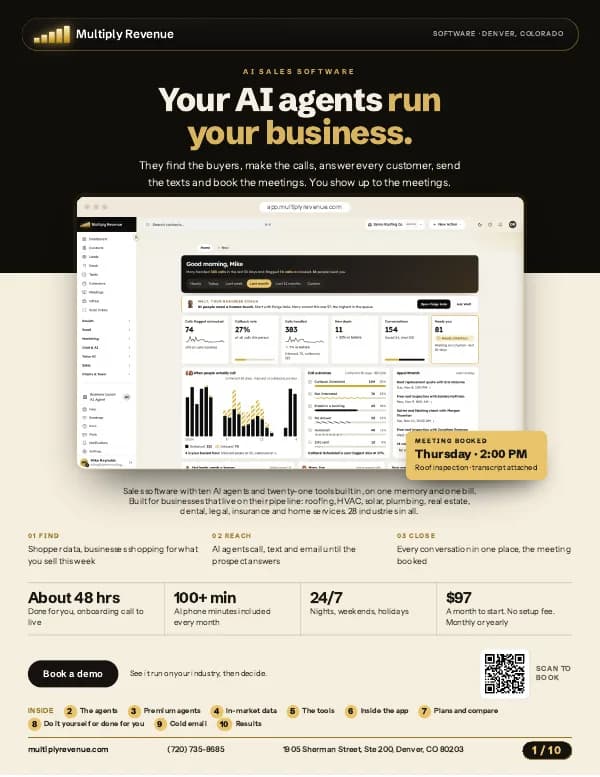
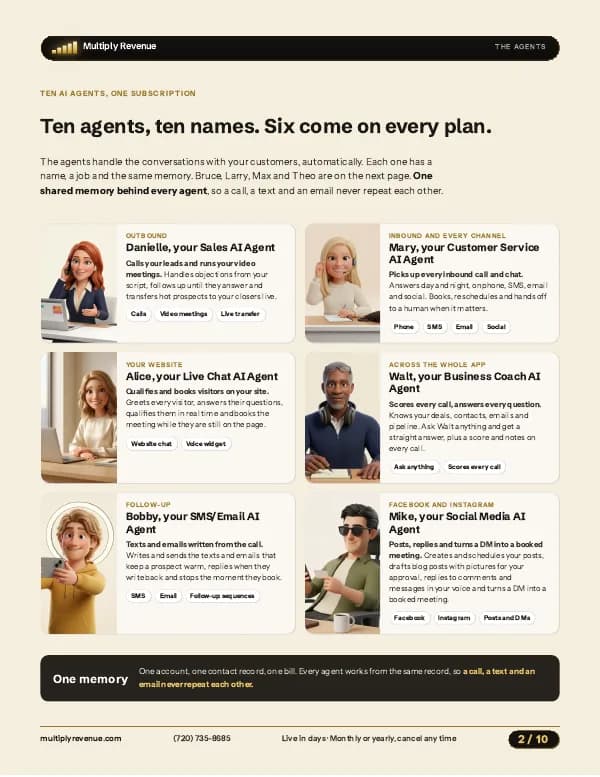
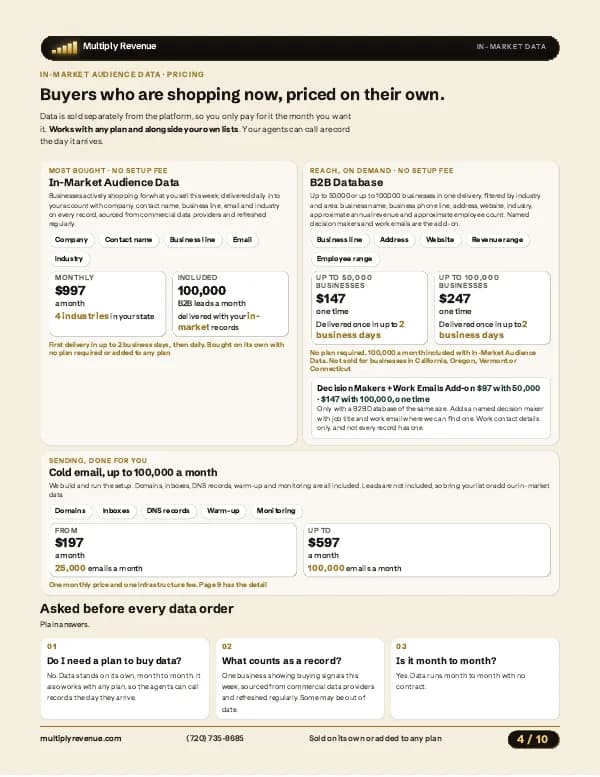
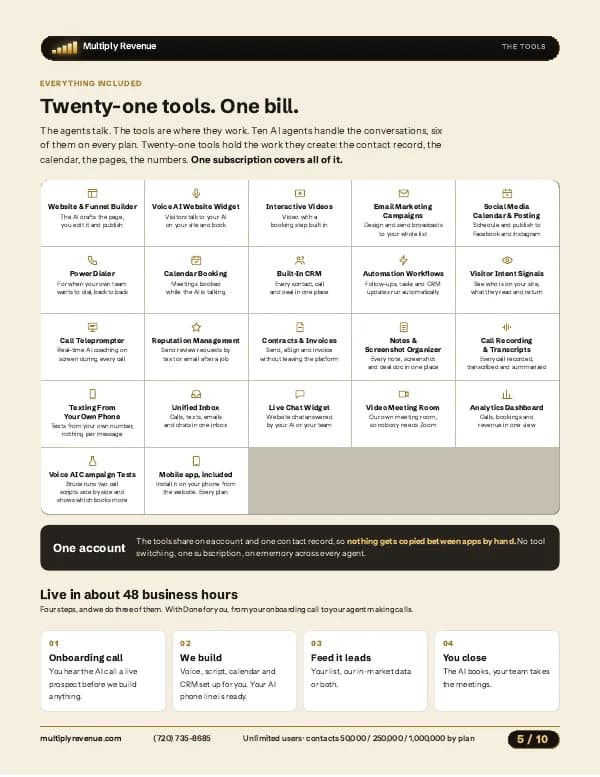
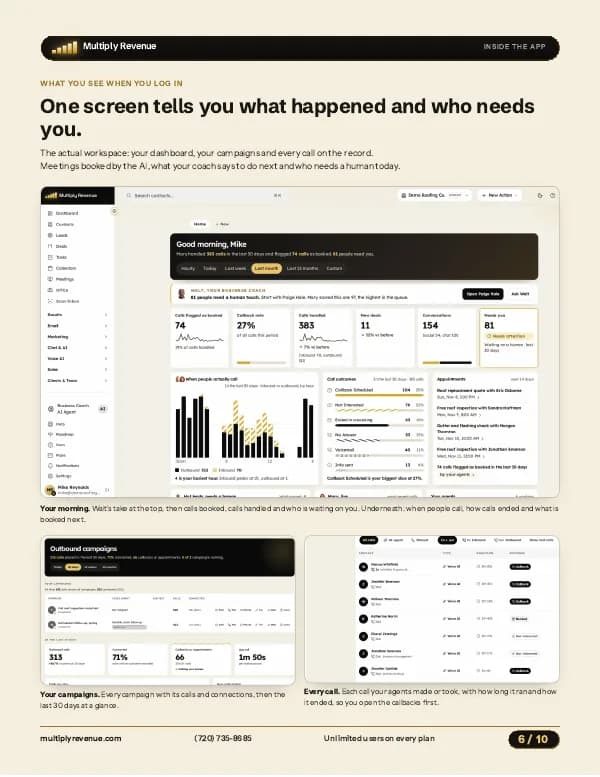
Four of the ten pages. Tap any page to open the full brochure.
On a 15-minute demo we set one up around your trade and show you the software.