The Best HubSpot AlternativesMultiply Revenue vs HubSpot, and 11 Other CRMs for Small Businesses.
HubSpot is the best known CRM suite, and its free plan is a real start. Small businesses look for a HubSpot alternative for three reasons: the jump to Professional pricing and onboarding fees, per seat costs and a suite that organizes leads without calling them. Here is how the best options compare, with every number from each company's own pages.

AI time is billed by the minute, 10¢ inbound and 20¢ outbound, and the line for AI calls is part of that rate. Calls your team makes by hand will run on your own carrier account. See our Terms of Service.
Pricing verified August 20, 2026
Every HubSpot number on this page comes from HubSpot's own public pricing or help pages, checked on the date above. HubSpot changes pricing and plan limits over time, so treat every figure here as a snapshot, not a live quote.
- HubSpot Pricing
- HubSpot Pricing, Marketing Hub
- HubSpot Knowledge Base: View sales notifications in the activity feed
- HubSpot Sales Hub: calling and click-to-call
- HubSpot Sales Hub Pricing
- Pipedrive Pricing
- Zoho CRM Pricing
- Freshsales Pricing
- ActiveCampaign Pricing
- Salesforce Pricing
- Brevo Pricing
- Close Pricing
- Nutshell Pricing
- Keap Pricing
- GoHighLevel Pricing
- monday CRM Pricing
- Capsule Pricing
HubSpot pricing and feature details above are drawn from HubSpot's own public pricing and knowledge base pages, current as of August 2026. Pricing, promotions and product limits change. Confirm current HubSpot pricing directly with HubSpot before making a purchasing decision.
What Multiply Revenue Does for Your Business
Whatever you decide about HubSpot, here is what our software does for you, in plain terms. It is built for one job: bringing in new customers without you hiring a sales team.
An AI agent that makes the calls for you
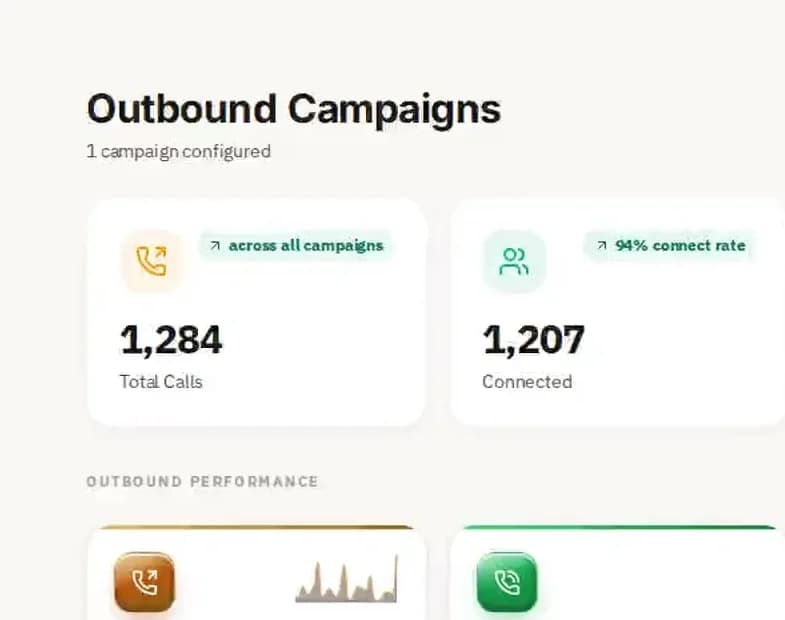
Our digital assistant calls your list or our in-market audience, opens with something specific to each business, asks your qualifying questions and handles the common objections. When someone is ready, it books a time on your live calendar before the call ends.
Leads who are shopping right now
In-market audience data shows businesses that searched on Google or Bing or filled in a form on Facebook or Instagram for what you sell, in the last day to the last week. You call people while they are deciding, not months after.
Follow-up that never forgets
Nobody falls through the cracks. People who did not answer get a call back, a text or an email on the schedule you set, so a list keeps getting worked long after the first pass.
Every call recorded, transcribed and scored
Each call is recorded and transcribed, and the AI coach scores it, so you can read exactly what was said and see what is working without listening to hours of audio.
The CRM is included, with unlimited users
Contacts, pipeline, calendar booking and analytics come with every plan, with unlimited users and 50,000 to 1,000,000 contacts by plan. Every call, text and email lands on the contact record by itself, with no typing.
Simple pricing, no contract
Plans are $97, $297 or $497 a month, month to month, with no setup fee and the whole toolbox on every plan. AI calling time is billed by the minute (10¢ inbound, 20¢ outbound), so you pay for the work that happens.
Done for you, if you would rather not set it up
Add Done for you from $97 a month and a person sets everything up with you in month one, then keeps improving it every month. Cancel any time.
Calls are made the right way
The agent calls business lines in each prospect's own timezone, never in the evening and never on a Sunday, and every call opens by saying it is a digital assistant and that the call is recorded.
Why Small Businesses Look for HubSpot Alternatives
HubSpot is the best known CRM and marketing suite for growing businesses, and its free CRM is a genuinely useful start. The reasons teams start comparing HubSpot alternatives tend to show up as they grow.
The price jump from Starter to Professional
Sales Hub Starter showed $7 a seat a month billed annually, while Professional starts at $90 a seat. The features many teams want, such as advanced automation and reporting, sit in Professional, so the jump arrives just as the team grows.
Source: HubSpot Sales Hub Pricing · checked October 17, 2026.
Required onboarding fees
HubSpot's pricing page lists a required one-time onboarding fee of $1,500 for Professional and $3,500 for Enterprise. For a small business that is a real cost before the software does any work.
Source: HubSpot Sales Hub Pricing · checked October 17, 2026.
Per seat costs add up
Paid HubSpot hubs are priced per seat, so every new salesperson adds to the bill. Teams that need marketing, sales and service hubs together can find the combined cost far higher than a single bundled tool.
More suite than a small team needs
HubSpot does a great deal, which can mean a lot to learn and configure. Small businesses that only need a pipeline, email marketing and booking often find a simpler CRM does the job for less.
Free plan limits
The free CRM covers two users and the basics, but automation, larger email sends and advanced features need paid plans. Many teams outgrow it faster than they expected.
Source: HubSpot Sales Hub Pricing · checked October 17, 2026.
It manages leads but does not call them
HubSpot organizes contacts, emails and deals beautifully. If your pipeline is thin, it does not go out and start conversations. That is why outbound tools that call and qualify prospects now appear on HubSpot alternative shortlists.

What HubSpot Costs in 2026, and What Alternatives Charge
HubSpot's Sales Hub pricing page, read October 17, 2026, lists a free plan for up to two users, Starter at $7 a seat a month billed annually or $10 billed monthly (with a list price of $20 shown struck through), Professional at $90 a seat a month and Enterprise at $150 a seat a month.
Professional requires a one-time onboarding fee of $1,500 and Enterprise one of $3,500. Marketing Hub and Service Hub are priced separately, so a business that wants sales, marketing and service on HubSpot pays for each hub it adds.
Run your real team through the numbers. Five salespeople on Professional is $450 a month plus the onboarding fee, before Marketing Hub. Alternatives such as Zoho CRM, Freshsales and Capsule start far lower per seat, while bundled platforms cover CRM, email and automation at a flat price.
For reference, Multiply Revenue publishes $97, $297 and $497 a month with no setup fee, unlimited users and 50,000 to 1,000,000 contacts by plan and month to month billing, with the outbound AI agent included and AI time billed by the minute.

Where the Real Difference Shows Up
HubSpot Does Not Place the Calls
HubSpot does not include an agent that places outbound sales calls on its own. Its calling tool is a click-to-call dialer built for a human rep, with a power dialer, automatic logging and AI-generated call notes. HubSpot's Breeze agents cover written outreach, support tickets, content and CRM research, not phone calls. Multiply Revenue's outbound agent places the call itself, has the conversation, qualifies the lead and books the meeting. The agent is included in the plan, AI talk time bills per minute from the first minute, and the line for AI calls is part of the AI rate.
Source: HubSpot Sales Hub: calling and click-to-call · checked August 20, 2026.
What the Free Plan Includes
HubSpot's free CRM tools are real, but two limits show up fast. Sales email tracking notifications cap at 200 per month for any account without an assigned paid seat, according to HubSpot's own knowledge base. Marketing email sends cap at 2,000 per month with mandatory HubSpot branding on every email. Marketing automation on the free tier is limited to a single automated action. Multiply Revenue does not meter notifications or email sends.
Sources: HubSpot Knowledge Base: View sales notifications in the activity feed, HubSpot Pricing, Marketing Hub · checked August 20, 2026.
The $20 Seat Does Not Include Automation
HubSpot's Starter tier lists at $20 per seat per month on standard monthly billing. HubSpot runs promotional annual rates for new customers that can bring that down to $7 to $15 per seat, so check the live offer before assuming the sticker price. At Starter you still get just 1 automated action and a cap of 50 active contact lists. Real marketing automation with unlimited actions does not open up until Professional, which starts at $800 per month for 3 core seats.
Sources: HubSpot Pricing, HubSpot Pricing, Marketing Hub · checked August 20, 2026.
Professional Adds a One-Time Onboarding Fee
Stepping up to HubSpot Professional adds a mandatory one-time onboarding fee of $3,000. Enterprise adds $7,000. Both are charged separately from the monthly subscription and are typically waived only if you buy through a certified solutions partner. Multiply Revenue charges no setup fee at all, and the onboarding call, the AI voice, numbers, workflows and integrations are all included. Dedicated agents are a separate product, priced on their own, with nothing to pay up front. Script writing and the build are included either way, and the figure is a small fraction of a four figure implementation invoice.
Source: HubSpot Pricing, Marketing Hub · checked August 20, 2026.
One Workspace for Your CRM, Email, Social Media and Calendar
Many teams look at HubSpot alternatives because the CRM, the email campaigns, the social media tools and the calendar end up as separate products with separate bills. Multiply Revenue keeps the customer record in one place. Calls, texts, chats and emails land in the same inbox, and so do messages from your Facebook page and your Instagram account, so the person who messaged you there is the same contact the agent spoke to last month. Follow-up workflows run from that record, and a booked meeting goes straight onto your calendar with the conversation attached. Your team sees the whole history of every lead without switching tools, and the digital assistant introduces itself as a digital assistant, never as a person.

The Best HubSpot Alternatives in 2026: Features, Pricing, Pros and Cons
Twelve HubSpot alternatives for small businesses, from free CRMs to email marketing platforms and bundled suites. Each entry shows who it suits, its pros and cons and the price its own pricing page showed on the date below. We put Multiply Revenue first because it does the job HubSpot leaves to your team: calling prospects and booking meetings.
We make Multiply Revenue, so weigh our entry accordingly. Every other tool here is described from its own public pages, and none of them paid to be included.
Multiply Revenue
Best for: small businesses that need more conversations, not more dashboards
Multiply Revenue is an AI sales platform with the CRM built in. Its outbound agent calls your list or an in-market audience, qualifies each prospect and books the meeting, and the deal lands in your pipeline with the call attached. Email marketing, texting, social posting, booking and a coach that scores every call sit in one workspace.
Pros
- Flat plans from $97 a month, no setup or onboarding fee
- Unlimited users, not priced per seat
- Outbound AI agent included in the plan
- Month to month, cancel any time
Cons: AI calling time is billed by the minute (10¢ inbound, 20¢ outbound). We do not have HubSpot's app marketplace, so teams that depend on dozens of niche integrations should check theirs first.
Price: $97, $297 or $497 a month, no setup fee.
See Multiply Revenue pricingPipedrive
Best for: sales teams that want a focused, visual deal pipeline
Pipedrive is the HubSpot alternative most often chosen by sales-led teams. Its visual pipeline is fast for reps to adopt, and it is simpler than HubSpot's suite. Teams comparing HubSpot vs Pipedrive usually find Pipedrive cheaper for a pure sales team and HubSpot stronger when marketing and service need to share the same CRM.
Pros
- Clean, visual pipeline
- Activity reminders keep deals moving
- Large integration marketplace
Cons: No free plan, priced per seat, and email marketing and lead capture are paid add-ons.
Price: Lite $14, Growth $39, Premium $59, Ultimate $79 per seat a month billed annually ($24 to $99 monthly).
Source: Pipedrive Pricing · checked October 17, 2026.
Read our Pipedrive alternatives guide
Zoho CRM
Best for: budget-conscious teams that want a customizable CRM
Zoho CRM is one of the most affordable HubSpot alternatives, with a free plan for three users, low paid tiers and free onboarding. It connects to the wider Zoho suite for email, books and help desk. For a business that wants a full CRM without HubSpot's per-seat jump to Professional, it is often the most cost effective choice, though setup takes more effort.
Pros
- Free plan for three users
- Low per-seat pricing
- Free onboarding listed
Cons: Interface and setup are less polished than HubSpot's, and marketing tools are separate apps.
Price: Free; Standard $14 ($20 monthly); Professional $23 ($35); Enterprise $40 ($50) per user a month.
Source: Zoho CRM Pricing · checked October 17, 2026.
Read our Zoho CRM alternatives guideFreshsales
Best for: small sales teams that want AI help at a low entry price
Freshsales from Freshworks offers contact and deal management with built-in email and its Freddy AI assistant, starting at a very low price per seat.
Pros
- Very low entry price
- AI assistant included
- Easy to set up
Cons: Priced per seat, with advanced features on higher tiers.
Price: Growth $9 ($11 monthly); Pro $39 ($47); Enterprise $59 ($71) per user a month.
Source: Freshsales Pricing · checked October 17, 2026.

ActiveCampaign
Best for: businesses that mainly use HubSpot for email marketing automation
ActiveCampaign is the HubSpot Marketing Hub alternative named most often. Its automation builder is excellent, it includes a CRM pipeline and its page states no setup fees and free migration. Businesses that mainly paid for HubSpot to run email campaigns and nurture sequences often get more automation for less here.
Pros
- Powerful marketing automation
- No setup fees and free migration
- Low entry price
Cons: Prices rise with contacts, SMS is an add-on and the CRM is lighter than HubSpot's.
Price: Starter from $15 a month, Plus $49, Pro $79, Enterprise $145, billed annually.
Source: ActiveCampaign Pricing · checked October 17, 2026.
Salesforce Starter Suite
Best for: companies that expect to scale into enterprise CRM
Salesforce's Starter Suite brings sales, service and email together at small business pricing, with a free suite and a 30-day trial. It is the HubSpot alternative for teams planning to grow into complex processes.
Pros
- Scales from small team to enterprise
- Deep customization and reporting
- 30-day free trial
Cons: Higher editions get expensive quickly and need setup time.
Price: Starter Suite $25 per user a month; Pro Suite $100; higher editions from $195.
Source: Salesforce Pricing · checked October 17, 2026.

Brevo
Best for: small businesses that mainly send email and SMS on a budget
Brevo offers email marketing, SMS and a free CRM at a fraction of HubSpot's price. It suits teams whose HubSpot use is mostly newsletters and simple campaigns.
Pros
- Free plan and low paid entry
- Email and SMS in one account
- Free CRM included
Cons: SMS credits are sold separately and the sales pipeline is basic.
Price: Free; Starter $9 a month, Standard $18, Professional $499.
Source: Brevo Pricing · checked October 17, 2026.
Close
Best for: inside sales teams that live on the phone
Close is a sales CRM built around calling, email and SMS. Its pricing page describes an AI agent that calls your leads, qualifies them, books meetings and updates the CRM.
Pros
- Built-in calling and SMS
- AI agent described as calling leads
- Fast, rep-friendly interface
Cons: Priced per seat, and phone usage is billed on top.
Price: Solo $9 ($19 monthly); Essentials $35 ($49); Growth $99 ($109); Scale $139 ($149) per seat a month.
Source: Close Pricing · checked October 17, 2026.

Nutshell
Best for: small B2B teams that want simple sales and marketing together
Nutshell combines an easy CRM with optional email marketing and reporting, and is known for helpful support. It is a gentle step down in complexity from HubSpot.
Pros
- Easy to learn
- Sales plus optional marketing
- Many plan sizes
Cons: Marketing is an extra monthly charge and seats are per user.
Price: Foundation $13 ($19 monthly) up to Enterprise $79 ($89) per user a month.
Source: Nutshell Pricing · checked October 17, 2026.
Keap
Best for: service businesses that want automation plus invoicing
Keap pairs CRM and marketing automation with quotes, invoices and payments, with required guided implementation.
Pros
- Automation and payments in one
- Guided implementation
- Long track record
Cons: Higher starting price and required implementation priced separately.
Price: From $299 a month billed annually; extra users $39 a month.
Source: Keap Pricing · checked October 17, 2026.
Read our Keap alternatives guide
GoHighLevel
Best for: marketing agencies reselling a bundled platform
GoHighLevel bundles CRM, funnels, email, SMS and calendars with unlimited users at a flat plan price, built for agencies with sub-accounts and white-labeling.
Pros
- Flat pricing, unlimited users
- Funnels and SMS included
- White-label for agencies
Cons: Usage charges apply on calls, SMS, email and Voice AI, and the learning curve is steep.
Price: Starter $97, Unlimited $297, Agency Pro $497 a month.
Source: GoHighLevel Pricing · checked October 17, 2026.
Read our GoHighLevel alternatives guidemonday CRM
Best for: teams already managing projects on monday.com
monday CRM runs deals and contacts on flexible boards with automations, next to your projects. Its pricing page lists an outreach caller agent on Standard and above.
Pros
- Flexible boards and automations
- Projects and deals together
- Outreach agent on higher plans
Cons: Prices depend on seat count and plans may have seat minimums.
Price: Basic $12 ($18 monthly); Standard $17 ($25); Pro $28 ($41) per seat a month.
Source: monday CRM Pricing · checked October 17, 2026.
More HubSpot Competitors: EngageBay, Zendesk Sell, Mailchimp and Capsule
These HubSpot competitors come up often for specific needs. Prices are printed only where we read them on the vendor's own page today.
EngageBay
EngageBay positions itself as a lower cost bundled alternative to HubSpot, with marketing, sales and help desk tools for small businesses. It is worth a look if you want HubSpot's shape at a smaller price, with CRM, email marketing, landing pages and live chat in one place for a small team.
Zendesk Sell
Zendesk Sell is the sales CRM from the Zendesk support company. It suits teams already using Zendesk for customer service that want sales and support data in one place, so a rep can see every support ticket before a renewal call.
Mailchimp
Mailchimp is one of the best known email marketing tools, with templates, a landing page builder and basic automation. It replaces HubSpot's email marketing but not its sales CRM, so teams that switch usually pair it with a separate pipeline tool.
Capsule CRM
Capsule is a simple CRM with a free plan for two users and zero setup and onboarding fees stated on its pricing page, with paid plans from $18 a user a month billed annually.
Source: Capsule Pricing · checked October 17, 2026.

How to Choose the Best HubSpot Alternative for Your Business
Start with which HubSpot hubs you actually use and what you wish they did. Then compare tools on the points below.
Total cost for your team
Add seats, the hubs you need, onboarding fees and annual against monthly billing. A flat priced tool can beat a low per-seat price once the team grows.
CRM and pipeline management
Test contact records, deal stages and tasks with your own data. Reps adopt tools that feel fast.
Email marketing and marketing automation
If Marketing Hub is the reason you use HubSpot, compare automation builders, templates, deliverability and how contacts are priced.
Reporting and analytics
Make sure you can see conversion by stage, revenue by source and rep activity without upgrading to an expensive tier.
Integrations and migration help
List the apps you depend on and confirm each connects. Ask what help the vendor gives moving your HubSpot contacts, deals and history.
Ease of use and support
A simpler tool your team uses daily beats a powerful suite nobody configures. Try the free plan or trial with one real workflow first.
Lead generation, not just lead management
Most HubSpot alternatives manage leads you already have. If you need more leads, look for in-market data and outbound calling that books meetings. That is what Multiply Revenue was built for.
Which HubSpot Alternative Is Better for Your Business
Pick the row that matches why you are looking.
Not enough leads or conversations
Multiply Revenue
A focused pipeline for a sales team
Pipedrive
Lowest cost with lots of customization
Zoho CRM
Low entry price with AI help
Freshsales
Email marketing automation is the main use
ActiveCampaign
You expect to scale into enterprise
Salesforce Starter Suite
Newsletters and SMS on a small budget
Brevo
Your reps live on the phone
Close
An agency reselling software to clients
GoHighLevel
Projects and deals on the same boards
monday CRM

The Best HubSpot Alternative for Your Type of Business
The right HubSpot alternative depends on how your business wins customers and which HubSpot hubs you lean on. Here is how we would think about it for the small businesses that most often compare options.
Home services and local service businesses
HVAC, roofing, plumbing and landscaping companies need booked estimates more than marketing dashboards. An outbound platform such as Multiply Revenue calls homeowners and property managers and books the visit, with texting and follow-up included, while a field service tool runs the crews.
B2B services, agencies and consultants
Firms that sell through relationships need a clean pipeline, email follow-up and reporting on where deals come from. Pipedrive, Nutshell and Zoho CRM cover that well at a lower cost than HubSpot Professional, and outbound calling fills the top of the funnel.
Ecommerce and online brands
Online stores mainly need email and SMS tied to products and orders. Brevo and ActiveCampaign integrate with common store platforms and cost far less than Marketing Hub, while a sales CRM matters mainly for wholesale accounts.
Inside sales teams
Teams that make dozens of calls a day want calling, SMS and email inside the CRM so every touch is logged. Close is built for that, and AI agents that call and qualify leads can take the first conversation off the reps' plates.
Startups planning to scale
Startups that expect complex processes later often choose Salesforce Starter Suite or Attio for room to grow, or stay on HubSpot's free plan until revenue justifies a paid tier.
Real estate, insurance and financial services
These businesses live on speed to lead and persistent follow-up across calls, texts and email. Look for a CRM that calls new leads quickly, follows up on a schedule and keeps every conversation on the contact record, rather than one that only sends emails.

When HubSpot Is Still the Right Choice
HubSpot is a strong platform, and for many businesses it is worth the price. If your marketing, sales and service teams share one system, rely on its reporting and use its integrations every day, switching rarely pays back.
It is also a sensible start for small teams on the free plan who expect to grow into the suite. Where it falls short is starting conversations: HubSpot organizes leads but does not call them. Many businesses keep HubSpot as their CRM and add Multiply Revenue to fill it with booked meetings.
A quick test before you decide: count how many of last quarter's new customers came from people who had never heard of you. If that number is small and you want it to grow, a cheaper or simpler CRM will not change it by itself. The fix is reaching new prospects consistently, which is the part of the job most CRMs leave to your team.

How to Migrate From HubSpot to Another CRM
A planned move takes days, not months. These steps apply whichever HubSpot alternative you choose.
- 1
Check your contract and renewal
Note when your HubSpot subscription renews and plan the switch for that date so you are not paying twice.
- 2
Export contacts, companies and deals
Export contacts, companies, deals and notes with custom properties, plus email templates and any lists or segments you use. Keep a full backup even if you import only part of it.
- 3
Map properties and pipelines
Recreate your pipelines, stages and custom fields in the new CRM so records land in the right place.
- 4
Rebuild key workflows and forms
Rebuild the workflows, email templates and website forms that bring in leads, and test each one end to end. Reconnect your calendar, email and any integrations, and update tracking codes on your website.
- 5
Run both briefly, then switch
Keep HubSpot read-only for a week or two while the team works in the new CRM, then cancel at renewal.
Questions People Ask Before They Switch
An Agent That Makes the Call Itself.
Multiply Revenue's outbound agent calls, qualifies and books meetings on its own. Hear it run on your own market before you decide between plans and seats.
The rest of the Multiply Revenue platform
Every part below is included on the same login and writes to the same contact record. Nothing here is a separate subscription.