The Best Zoho CRM AlternativesMultiply Revenue vs Zoho CRM, and 11 Other CRMs Compared.
Zoho CRM is deep, customizable and great value. Teams look for a Zoho CRM alternative for three reasons: setup effort, an interface that feels busy and a CRM that manages leads without calling them. Here is how the best options compare on features, pricing and fit.

What the product is built to do
Give a sales team a CRM to run on: contacts, deals, pipelines, forecasting and unlimited reports once you are on a paid plan.
Does the software call a prospect on its own
Zoho's own pricing page lists "Built-in calling: make, receive, and log sales calls directly inside Zoho CRM." That is a rep dialling from inside the CRM. We found no published feature where Zia or any Zoho agent places an outbound call and talks to the prospect itself.
How you are charged
Per user, per month, with a free tier capped at 3 users and four paid tiers above it (Standard, Professional, Enterprise, Ultimate). Zoho's own pricing page states this structure. The page did not show us US dollar prices, so we are not stating an amount, but the per-seat shape is clear either way.
What the AI actually does
Zia predicts, scores and recommends: churn prediction, deal-win scoring, next-best-action suggestions, and data enrichment pulled from the web and from email signatures. Zoho's own AI page describes Zia as something that "handles the daily grind" around a deal, not something that talks to the prospect for you.
Who does the work when nobody is free
Zoho automates workflows, cadences and reminders around a person. Zia flags what a rep should do next. A person still has to do it.
Where it fits
Sales teams that already generate enough leads and want a deep, highly customisable system (custom modules, blueprints, sandboxes) to run them through.
AI time is billed by the minute, 8¢ to 10¢ inbound and 16¢ to 18¢ outbound, depending on the plan, and the line for AI calls is part of that rate. Calls your team makes by hand will run on your own carrier account. See our Terms of Service.
Pricing verified September 28, 2026
Every Zoho CRM number on this page comes from Zoho CRM's own public pricing or help pages, checked on the date above. Zoho CRM changes pricing and plan limits over time, so treat every figure here as a snapshot, not a live quote.
See the 15 sources we checked▾
- Zoho CRM Pricing and Editions
- Zoho CRM Features
- Zoho CRM: AI in Zoho CRM (Zia)
- Zoho CRM Pricing
- HubSpot Sales Hub Pricing
- Pipedrive Pricing
- Salesforce Pricing
- Freshsales Pricing
- monday CRM Pricing
- Attio Pricing
- Copper Pricing
- Nutshell Pricing
- Close Pricing
- Capsule Pricing
- Less Annoying CRM Pricing
Zoho details above were read from Zoho's own pages on September 28, 2026: its pricing page, features page and Zia AI page. Zoho's pricing page did not show us US dollar prices on that date, so no Zoho price is stated on this page. Pricing and product features change. Confirm current details directly with Zoho before making a purchasing decision.
What Multiply Revenue Does for Your Business
If you are weighing Zoho CRM, here is the trade: fewer settings to configure and an agent that starts working in days.
Up and running without a project
Do it yourself, or add Done for you from $97 a month and a person sets up your campaigns and follow up with you in month one.
Built around the phone call
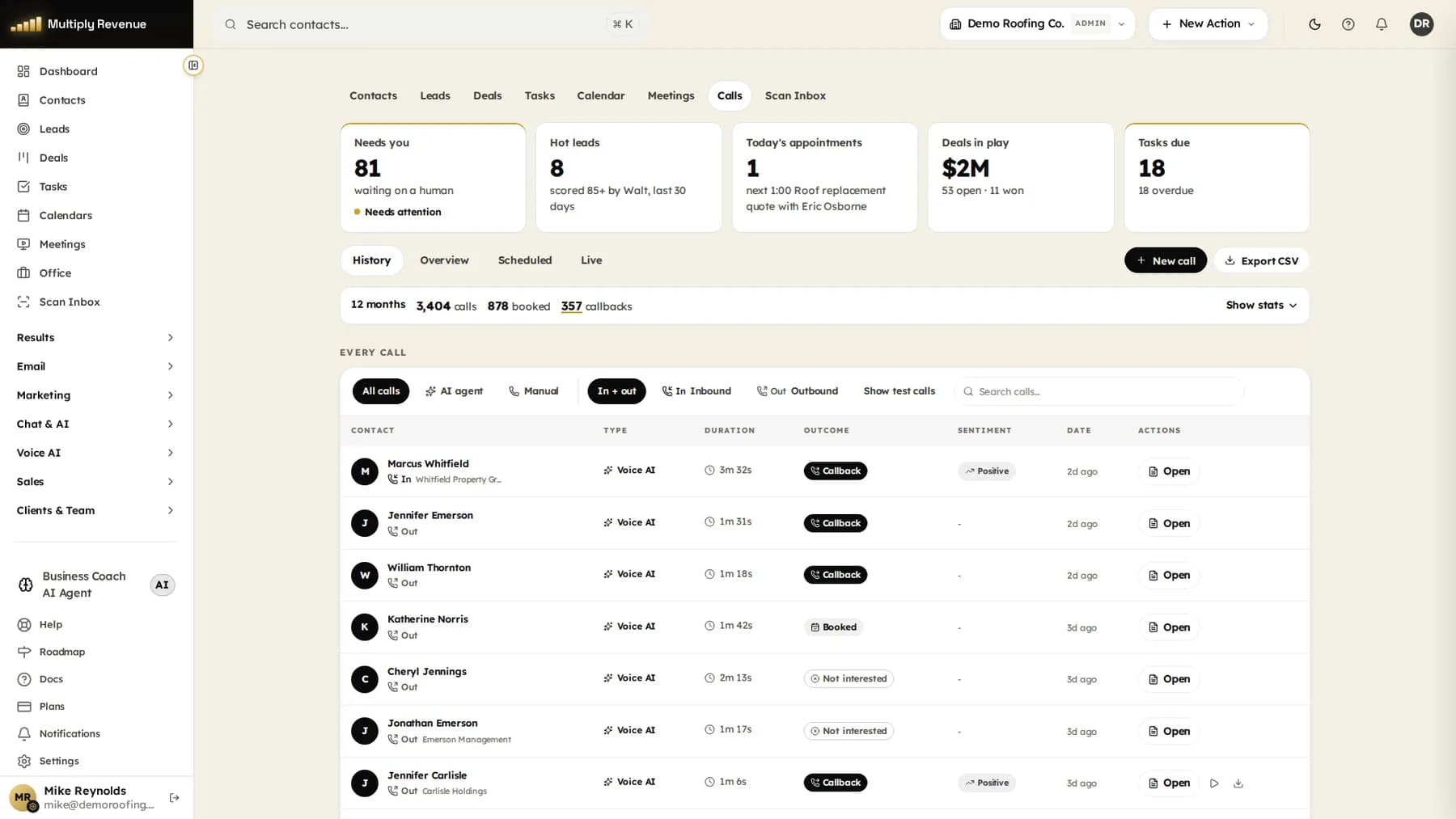
Our AI assistant calls, qualifies and books meetings, so the CRM is busy with real conversations instead of waiting for someone to log them.
Unlimited users, no add on seats
Every plan includes contacts, pipeline, calendar booking and analytics for your whole team, with no per user charge.
No setup fee, no long-term contract
$97, $297 or $497 a month, month to month, with every tool on every plan. You pay for AI calling time by the minute, 8¢ to 10¢ inbound and 16¢ to 18¢ outbound, depending on the plan.
Why Teams Look for Zoho CRM Alternatives
Zoho CRM is one of the best value CRMs available, with a free plan, low per user prices and a huge suite of connected apps. The reasons teams start comparing Zoho CRM alternatives are rarely about price. They are about ease, focus and what the CRM leaves undone.
Setup and customization take real effort
Zoho's depth is its strength and its cost. Custom modules, layouts, workflows and permissions can do almost anything, but small teams without an admin often find they spend weeks configuring instead of selling.
The interface can feel dated and busy
Reps who live in the CRM every day value speed and clarity. Teams that want a cleaner, more modern interface often look at Pipedrive, Attio or HubSpot, where common tasks take fewer clicks.
Per user pricing still grows with the team
Zoho's paid plans run from US$14 to US$40 per user a month on annual billing, more on monthly billing. It is inexpensive per seat, but every hire still adds to the bill, and advanced features sit on the higher tiers.
Source: Zoho CRM Pricing · checked October 17, 2026.
The best features live in other Zoho apps
Marketing automation, help desk, invoicing and analytics are separate Zoho products. That suite is powerful if you commit to it, but teams that only want a CRM can end up stitching together several apps and subscriptions.
Teams on Google Workspace or Microsoft want native fit
Businesses that run on Gmail and Google Workspace or on Microsoft 365 often prefer a CRM built to live inside those tools, such as Copper for Google, so emails and contacts are captured without extra steps.
It organizes leads but does not call them
Zoho's Zia assistant helps reps with predictions and suggestions, but a person still makes the calls. If your pipeline is thin, a better CRM will not fill it. That is why outbound tools now appear on Zoho CRM alternative shortlists.

What Zoho CRM Costs in 2026, and How Its Competitors Compare
Zoho CRM's pricing page, read October 17, 2026, lists a free plan for up to three users, then Standard at US$14, Professional at US$23 and Enterprise at US$40 per user a month on annual billing. Billed monthly, the same plans are US$20, US$35 and US$50. Zoho also lists free onboarding.
That makes Zoho one of the lowest cost full CRMs on the market. The real cost question is time: how many hours of setup, customization and admin it takes before your team is selling from it, and how many other Zoho apps you add for marketing, support and analytics.
Among Zoho CRM alternatives, Freshsales and Nutshell start in a similar price range, Pipedrive and HubSpot cost more per seat but are quicker to adopt, and Salesforce costs more again but scales furthest. Flat priced tools avoid per user costs altogether.
Put a real team through the numbers before you compare. Five users on Zoho Professional with annual billing is US$115 a month; the same team on Pipedrive Growth is $195 and on HubSpot Professional $450 plus a one-time onboarding fee. The cheapest per seat is not always the cheapest overall once you count the hours spent on setup and admin, so weigh time as well as the monthly bill.
For reference, Multiply Revenue publishes $97, $297 and $497 a month with no setup fee, unlimited users and 50,000 to 1,000,000 contacts by plan and month to month billing, with the outbound AI agent included and AI time billed by the minute.

Where the Real Difference Shows Up
Zoho Is Genuinely Deep. That Is Also the Trade-off.
Zoho CRM's own features page lists customization without limits, sandboxes for testing changes safely, blueprint-driven sales processes and territory management built for a mature sales org. That is real, and for a business with an established sales team and a process worth codifying, it is a fair reason to pick Zoho over a lighter tool. It is also a lot of surface area to configure before it does anything for you. Multiply Revenue starts working the day you connect your list, because the job is narrower on purpose: make the calls, qualify the people who answer, book the meetings.
Source: Zoho CRM Features · checked September 28, 2026.
Zia Is a Smart Assistant to a Rep. Our Agent Is the Rep on the Call.
Zoho's own AI page is specific about what Zia does: churn prediction, deal scoring, forecasting anomalies, product recommendations and suggesting the best time and mode to contact someone. Useful signal, and it is fair to say Zia is more mature in some of those prediction tasks than a younger product can claim to be. But every one of those things still ends with a human picking up the phone or sending the email. Our AI assistant is the one having the conversation, at whatever hour the prospect actually answers, and it writes its own follow-up by text and email from what was said on the call.
Source: Zoho CRM: AI in Zoho CRM (Zia) · checked September 28, 2026.
Per Seat Is a Bill That Grows Before the Pipeline Does.
Zoho's pricing page confirms the shape: free for 3 users, then four paid tiers priced per user, per month, with AI agent features and unlimited reporting reserved for the higher tiers. That is a normal way to sell CRM software, and it means the cost of the tool rises with headcount rather than with what the headcount produces. Our plans are flat, at 97, 297 or 497 dollars a month with no setup fee, so growing your team does not grow your CRM bill on its own.
Source: Zoho CRM Pricing and Editions · checked September 28, 2026.
The Honest Test for Which One You Actually Need.
If your team already has plenty of conversations coming in and the real problem is process, reporting and a system that scales with a growing org, Zoho is a legitimate choice and its depth is the point. If the real problem is that too few conversations are happening in the first place, a deeper CRM organises an empty pipeline more precisely without filling it. Multiply Revenue is built for that second case: it works your own list, has the conversation, and hands you a full pipeline as a by-product of calls that actually happened.

The Best Zoho CRM Alternatives in 2026: Features, Pricing, Pros and Cons
Twelve Zoho CRM alternatives for small businesses and sales teams, from free CRMs to platforms with built-in calling and AI. Each entry shows who it suits, its pros and cons and the price its own pricing page showed on the date below, per user a month billed annually with the monthly price in brackets. We put Multiply Revenue first because it fills the pipeline instead of only managing it.
We make Multiply Revenue, so weigh our entry accordingly. Every other tool here is described from its own public pages, and none of them paid to be included.
Multiply Revenue
Best for: small businesses that need more deals, not more configuration
Multiply Revenue is an AI sales platform with the CRM built in and set up with you. Its outbound agent calls the people on your list who agreed to be called, qualifies each prospect and books the meeting, and every conversation lands on the contact record. The in-market add-on feeds your email campaigns and ads. Email and text follow-up, booking and a coach that scores every call sit in one workspace, with no modules to build.
Pros
- Flat plans from $97 a month, no setup fee, not priced per user
- Unlimited users, 50,000+ contacts, month to month
- Outbound AI agent that dials, qualifies and books
- Ready to use without an admin
Cons: AI calling time is billed by the minute (8¢ to 10¢ inbound and 16¢ to 18¢ outbound, depending on the plan). Teams that need Zoho's level of custom modules and a full business app suite will find our CRM more focused.
Price: $97, $297 or $497 a month, no setup fee.
See Multiply Revenue pricingHubSpot
Best for: teams that want an easy, polished CRM with a free start
HubSpot is the Zoho CRM alternative most often compared head to head. It is easier to learn, more polished and has a larger app marketplace, with a free CRM for two users. Teams comparing Zoho vs HubSpot usually find Zoho cheaper and more customizable, and HubSpot faster to adopt with stronger marketing tools.
Pros
- Free plan for two users
- Very easy to adopt
- Huge integration marketplace
Cons: Per seat costs jump at Professional, which requires a one-time $1,500 onboarding fee.
Price: Free; Starter $7 ($10 monthly); Professional $90 ($100); Enterprise $150 per seat a month.
Source: HubSpot Sales Hub Pricing · checked October 17, 2026.
Read our HubSpot alternatives guide
Pipedrive
Best for: sales teams that want a visual pipeline without the setup
Pipedrive is built around a visual deal pipeline that reps adopt in a day. Teams that found Zoho heavy to configure often move here for simplicity. Its activity-based approach keeps every deal moving with a clear next step, which suits small sales teams that want focus over flexibility.
Pros
- Fast, visual pipeline
- Activity reminders
- Large integration marketplace
Cons: No free plan, per seat pricing and paid add-ons for email marketing and lead capture.
Price: Lite $14 ($24 monthly); Growth $39 ($49); Premium $59 ($79); Ultimate $79 ($99) per seat a month.
Source: Pipedrive Pricing · checked October 17, 2026.
Read our Pipedrive alternatives guideSalesforce Starter Suite
Best for: companies that will scale into enterprise processes
Salesforce is the enterprise standard, and its Starter Suite brings sales, service and email to small business pricing, with a free suite and a 30-day trial. It is the natural choice when you expect complex processes, many teams and deep reporting as the business grows.
Pros
- Scales furthest of any CRM
- Deep customization and reporting
- 30-day trial
Cons: Higher editions get expensive fast and need admin skills.
Price: Starter Suite $25 per user a month; Pro Suite $100; higher editions from $195.
Source: Salesforce Pricing · checked October 17, 2026.

Freshsales
Best for: small sales teams that want a simple CRM with AI help
Freshsales from Freshworks is priced close to Zoho but is often easier to set up, with built-in email and the Freddy AI assistant.
Pros
- Very low entry price
- AI assistant included
- Quick setup
Cons: Per seat pricing, with advanced features on higher tiers.
Price: Growth $9 ($11 monthly); Pro $39 ($47); Enterprise $59 ($71) per user a month.
Source: Freshsales Pricing · checked October 17, 2026.
monday CRM
Best for: teams that want CRM and project management on the same boards
monday CRM uses flexible visual boards for deals, contacts and projects, with automations. Its pricing page lists an outreach caller agent on Standard and above.
Pros
- Visual, flexible boards
- Projects and deals together
- Outreach agent on higher plans
Cons: Prices depend on seat count and plans may have seat minimums.
Price: Basic $12 ($18 monthly); Standard $17 ($25); Pro $28 ($41) per seat a month.
Source: monday CRM Pricing · checked October 17, 2026.

Attio
Best for: startups that want a modern, data-driven CRM
Attio is a modern CRM with flexible data, automatic enrichment and a free plan for three seats, popular with startups that want speed and flexibility without Zoho's complexity.
Pros
- Free for up to three seats
- Modern interface
- Flexible data model
Cons: Better suited to tech-savvy teams than traditional small businesses.
Price: Free; Plus $35 ($44 monthly); Pro $79 ($99) per seat a month.
Source: Attio Pricing · checked October 17, 2026.
Copper
Best for: teams that work inside Google Workspace
Copper is built to work natively inside Gmail and Google Workspace, capturing contacts and emails automatically, which cuts the data entry Zoho users often complain about.
Pros
- Native Google Workspace fit
- Automatic email and contact capture
- Simple pipelines
Cons: Best value only on Google Workspace, and higher tiers cost more than Zoho.
Price: Basic $23 ($29 monthly); Professional $59 ($69); Business $99 ($134) per user a month.
Source: Copper Pricing · checked October 17, 2026.
Nutshell
Best for: small B2B teams that want sales and marketing in one easy tool
Nutshell pairs a simple CRM with optional email marketing and is known for responsive support, a gentler alternative to Zoho's breadth.
Pros
- Easy to learn
- Optional marketing add-on
- Helpful support
Cons: Marketing costs extra and seats are per user.
Price: Foundation $13 ($19 monthly) up to Enterprise $79 ($89) per user a month.
Source: Nutshell Pricing · checked October 17, 2026.
Close
Best for: inside sales teams that make a lot of calls
Close puts calling, email and SMS inside the CRM, and its pricing page describes an AI agent that calls leads, qualifies them and books meetings.
Pros
- Built-in calling and SMS
- AI agent described as calling leads
- Fast for reps
Cons: Per seat pricing with phone usage on top.
Price: Solo $9 ($19 monthly); Essentials $35 ($49); Growth $99 ($109); Scale $139 ($149) per seat a month.
Source: Close Pricing · checked October 17, 2026.

Capsule CRM
Best for: small businesses that want a simple CRM with a free start
Capsule is a clean, simple CRM with a free plan for two users and zero setup and onboarding fees stated on its pricing page.
Pros
- Free plan for two users
- No setup or onboarding fees stated
- Very easy to use
Cons: Lighter automation and reporting than Zoho.
Price: Free; Starter $18 ($22 monthly); Growth $36 ($40); Advanced $54 ($60) per user a month.
Source: Capsule Pricing · checked October 17, 2026.
Less Annoying CRM
Best for: very small businesses that want one simple plan
Less Annoying CRM offers one plan at one price, with contacts, tasks and pipelines in a deliberately simple interface.
Pros
- One flat plan
- Easy to learn
- Low price per user
Cons: No advanced automation or built-in calling.
Price: One plan, $15 per user a month.
Source: Less Annoying CRM Pricing · checked October 17, 2026.
More Zoho CRM Competitors: Insightly, Microsoft Dynamics and Open Source
These Zoho competitors suit specific needs. We have not printed prices for them, so check each site for current plans.
Insightly
Insightly combines CRM with project management, so a won deal can turn straight into a delivery project. It suits service businesses that sell and then deliver work, and it offers marketing automation as a separate product for teams that want it.
Microsoft Dynamics 365 Sales
Dynamics 365 Sales is Microsoft's CRM, a natural fit for businesses that run on Microsoft 365, Outlook and Teams and want enterprise depth with native integration. Like Salesforce, it rewards teams with the time or partners to configure it well.
Zendesk Sell
Zendesk Sell suits teams already using Zendesk for support who want sales and service data side by side.
Open source CRMs
SuiteCRM, EspoCRM and Odoo's community edition are open source options you can self-host, avoiding per user fees in exchange for running the software yourself.

How to Choose the Right Zoho CRM Alternative
Start with why you are leaving Zoho, then compare the options on the features that matter for that reason.
Ease of use and time to value
If setup was the pain, measure how long it takes to get a real pipeline running in each trial, not how many features it lists.
Total cost for your team
Multiply seats by the plan price, add onboarding fees and add-ons, and compare annual against monthly billing.
Native fit with your workspace
Teams on Google Workspace or Microsoft 365 should test how well each CRM captures email, calendar and contacts without extra steps.
Automation and reporting
Check that workflows, reminders and the reports you rely on in Zoho exist on the plan you would buy.
Calling, email and SMS built in
Built-in communication logs activity automatically and saves reps from switching between tools.
Migration support
Ask what help the vendor gives moving your Zoho modules, custom fields, deals and notes.
Lead generation, not just management
If you need more leads rather than a new place to store them, look for in-market data for your email and ads and an agent that calls your lists and books meetings. That is what Multiply Revenue was built for.

Which Zoho CRM Alternative Is the Best Fit
Pick the row that matches why you are looking.
Not enough leads in the pipeline
Multiply Revenue
An easier CRM with a free start
HubSpot
A visual pipeline with no setup
Pipedrive
You will scale into enterprise
Salesforce Starter Suite
Similar price, simpler setup
Freshsales
CRM and projects on visual boards
monday CRM
A modern CRM for a startup
Attio
Your team lives in Google Workspace
Copper
Reps who make a lot of calls
Close
The simplest CRM at a flat price
Less Annoying CRM

The Best Zoho CRM Alternative for Your Type of Business
Which Zoho CRM alternative fits depends on how your business wins customers and how much setup your team can take on. Here is how we would think about it.
Home services and local service businesses
HVAC, roofing, plumbing and landscaping companies need booked estimates more than custom modules. An outbound platform such as Multiply Revenue calls property managers and homeowners who asked you for a visit, and books it, with texting and follow-up included, so the crew calendar fills without a sales team.
Small B2B and professional services firms
Agencies, consultants, accountants and law firms sell through relationships and follow-up. Pipedrive, Nutshell and Capsule give them a clear pipeline and reminders with far less setup than Zoho, and outbound calling keeps new conversations coming.
Teams on Google Workspace
Businesses that live in Gmail and Google Calendar get the most from Copper, which captures emails and contacts inside Google Workspace automatically and cuts the manual data entry that slows Zoho users down.
Inside sales and call-heavy teams
Teams that make dozens of calls a day want calling, SMS and email inside the CRM so every touch is logged. Close is built for that, and AI agents that call and qualify leads can take the first conversation off the reps' plates.
Startups and tech companies
Startups that want a modern interface and flexible data often choose Attio or HubSpot's free plan, then grow into paid tiers. Those expecting complex enterprise processes later may start on Salesforce Starter Suite.
Businesses that also manage projects
If won deals turn into delivery projects, monday CRM or Insightly keep sales and project management in one place, so nothing is lost between closing and doing the work.

When Zoho CRM Is Still the Best Choice
Zoho CRM is excellent value, and for many teams it is the right call. If you already use Zoho Books, Desk or Campaigns, have someone who enjoys configuring software and need custom modules and workflows, few CRMs give you as much for the money.
Where it falls short is starting conversations. If your pipeline is thin, switching CRMs will not fill it. Many businesses keep Zoho as their system of record and add Multiply Revenue to call and qualify new prospects, with the results flowing into the pipeline.
A quick test before you decide: look at last quarter's new customers and count how many came from people who had never heard of you. If that number is small and you want it to grow, moving your contacts to a different CRM will not change it on its own. The fix is consistent outreach to new prospects, which is the part of the job most CRMs leave to your team.

How to Migrate From Zoho CRM to Another CRM
A planned move takes days, not months. These steps apply whichever Zoho CRM alternative you choose.
- 1
Export every module
Export leads, contacts, accounts, deals, notes and activities, including custom fields, so nothing is lost. Save copies of email templates, reports and any workflow rules you have built, since these rarely transfer automatically.
- 2
Map modules and fields
Decide where each Zoho module and custom field lives in the new CRM, and recreate pipelines and stages first.
- 3
Import a test batch
Import a small sample, check owners, stages, values and dates, then import the rest.
- 4
Rebuild workflows and integrations
Reconnect email, calendar, forms and other apps, then rebuild the workflows your team relies on, starting with lead assignment and follow-up reminders. Test each one with a real lead before switching off Zoho.
- 5
Run in parallel, then switch
Keep Zoho read-only for a week or two, then cancel once the new CRM is your system of record.
Questions People Ask Before They Switch
A Pipeline Built From Calls That Actually Happened.
Multiply Revenue's AI assistant makes the calls, qualifies who answers and books the meeting, then writes the record. Hear it run on your own list before you decide.
Other tools, compared honestly.
Best CRM for small business
HubSpot, Zoho CRM, Salesforce and Pipedrive compared on price, seats and setup.
Best CRM with texting
Close, Salesmate, HubSpot and more compared on texting costs and fit.
Best sales tracking software
HubSpot, Zoho CRM, Pipedrive and more compared on price and features.
Clay alternatives
Data enrichment tools compared, and what to use when nobody has time to build.
ListKit alternatives
B2B lead lists compared, and what to use when the list needs to call itself.
Pipedrive alternatives
An honest comparison for a pipeline that needs to fill itself.
The rest of the Multiply Revenue platform
Every part below is included on the same login and writes to the same contact record. Nothing here is a separate subscription.