The CRM for startups that sells before you hire a rep.
A startup CRM that only stores what happened is another admin job for the person who already has too many. This one makes the calls, qualifies the answers and books the meeting, so founder-led sales keeps running on the days founding takes the whole day.
Set up with you, not handed over as a blank account.
THE FOUNDER'S PROBLEM
The selling stops whenever something else starts.
Early on, the founder is the product team, the support team and the sales team. Outbound is the only one of those jobs with nobody waiting on it, so it is the one that slips.
Outbound is always the thing that gets dropped
A customer problem has a person waiting. A release has a date. A cold list has neither, so it moves to tomorrow, every day, until the week is gone and nobody new was contacted.
The first sales hire is expensive and slow to prove
Sourcing, onboarding and ramp all happen before you learn whether it worked, and a departure resets the whole clock. That is a hard bet to place while you are still finding out what sells.
A normal CRM adds work rather than removing it
Stages to update, activities to log, fields to fill. All of it assumes a team whose job is to keep the system current. With no team, the system goes stale in a fortnight and stops being trusted.
WHAT YOU GET INSTEAD
Software that does the first sales job.
It makes the calls
The agent calls your list, handles the conversation and keeps going through the hours you are building rather than selling, while in-market data feeds your email and ads.
The record writes itself
Every call, text and email lands in one place against the person, so nothing depends on you remembering to log it and the history is there when you finally do hire.
One price, not a stack
Calling, messaging, the pipeline and the coaching sit in one product on one bill, instead of four subscriptions that each want a seat before they do anything.
Your first rep arrives to a pipeline
When you do hire, they inherit booked meetings, a working script and a record of what was said, rather than a login and a list of names.
THE FULL GUIDE
Choosing CRM software for startups.
12 chapters.
01
What a CRM for Startups Is, and When a Startup Needs One
A CRM for startups is the system that keeps every lead, customer, investor intro and partner conversation in one place, with the history of each one: who said what, what was promised and what happens next. Big companies buy a CRM to manage a sales team. A startup needs one for a simpler reason. The founders are doing the selling, and the details cannot live only in their heads.
Most early stage startups begin with a spreadsheet, a Gmail inbox and a notes app. That is fine for the first twenty conversations. It breaks when a second person starts selling, when a lead goes quiet and nobody remembers to follow up, or when an investor asks how many deals are in the pipeline and the honest answer is a guess.
The right time to start using a CRM is earlier than most founders think: the week you have more open conversations than you can hold in your head. Setting one up at that point takes an afternoon. Moving two years of scattered data into one later takes much longer, and the history you never recorded is gone for good.
02
Startup CRM Requirements at Each Stage of Growth
What a startup needs from CRM software changes fast. Buying for the stage you are in, with a clear path to the next one, avoids paying for enterprise features you will not use for years.
Pre-seed and early stage: one or two founders selling. The CRM needs simple contact and deal tracking, a pipeline view with a few stages, Gmail or Google Workspace integration so emails are logged without copy and paste, and reminders so follow ups do not slip. Ease of use matters more than anything. A free CRM or a basic plan is usually enough.
First sales hires: two to five people selling. Now you need shared pipelines, task assignment, email templates and sequences, simple reporting on deals by stage, and permissions so a new hire sees what they need. Per seat pricing starts to matter here.
Scaling the sales team: a sales manager, several reps and maybe a marketing person. Requirements grow to workflows and automation, lead scoring, forecasting, integrations with your marketing tools and billing, and reporting the board will actually trust. This is where many startups either upgrade or switch platforms.
At every stage the same test applies: does the CRM reduce the work of selling, or add admin on top of it?
03
Key Features to Look For in CRM Software for Startups
Every CRM has a long features page. For a startup, these are the capabilities that actually change results.
Contact and deal management: one record per person and company with every email, call, meeting and note attached. Deals linked to the people involved.
Pipeline management: a visual board with stages you can change in seconds as your sales process evolves. Startups change their process often, so customization should not need an admin.
Email integration: two way sync with Gmail or Outlook so conversations are logged automatically. Data entry is the number one reason founders stop using a CRM.
Sequences and automation: follow up emails, texts and tasks that run on their own once a lead enters a stage, plus simple workflows that move deals or notify a teammate.
Reporting and dashboards: pipeline value, deals won, conversion by stage and activity by person. You will need these numbers for board meetings and fundraising.
Lead scoring and enrichment: some platforms add company data and rank leads automatically, which helps a small team spend time on the best opportunities.
Integrations: calendar, website forms, billing, product analytics and the marketing tools you already use. A good API matters if your team is technical.
Mobile access: founders sell from airports and coffee shops. If the mobile app is weak, the data will be out of date.
Outreach: most CRMs store leads and wait. If your problem is that nobody has time to call and follow up, look for software that does the reaching out for you.
04
Free CRM Plans for Startups: What You Get and Where They Stop
Several CRM platforms offer a free plan, and for a very early startup that can be the right place to start. As of October 2026, read from each vendor's own pricing page:
HubSpot: a free CRM for up to 2 users.
Zoho CRM: free for up to 3 users.
Attio: a free plan for up to 3 seats, with real time contact syncing and automatic data enrichment.
Capsule: a free plan for a maximum of 2 users covering the basics of contacts and opportunities.
Free plans are generous on storing contacts and limited on everything that saves time. Automation, sequences, advanced reporting, more users and AI features almost always sit on paid plans. The usual pattern is that a startup outgrows a free CRM the moment the second or third person starts selling, or the moment the founders want follow ups to run without them.
That is fine, as long as you choose a free plan from a platform you would be happy to pay for later. Switching CRM after a year of use costs far more time than the subscription you saved.
05
Best CRM Software for Startups in 2026: Options Compared
These are the platforms startups compare most often. Prices are from each company's own pricing page in October 2026 and change often, so check before you buy.
HubSpot: the most common choice for startups that expect to grow into marketing automation. Free for up to 2 users, Starter from $7 to $20 per seat a month depending on billing. The HubSpot for Startups program offers up to 90 percent off the first year for eligible pre-seed, seed and Series A startups through an approved partner or verified funding, then 50 percent in year two and 25 percent in year three, on Professional and Enterprise products only. Pros: huge ecosystem, easy to start. Cons: costs rise steeply once the discounts end and you need Professional features.
Attio: a newer, flexible CRM popular with technical teams that want to model their own data. Free for up to 3 seats, Plus at $35 per user a month billed annually or $44 monthly, for up to 10 seats.
folk: a light CRM built around contacts and relationships, often used for founder networking, partnerships and fundraising. $24, $48 or from $80 per member a month billed yearly, with a two week free trial.
Pipedrive: a sales pipeline CRM known for its clean deal board and ease of use. Its pricing page did not load for us, so check pipedrive.com for current plans.
Salesflare: an automated CRM for small B2B teams that pulls in data from email and calendar. $29 or $49 per user a month on annual billing, and $99 per user with a minimum of 5 users.
Capsule: a simple CRM for small teams with a free plan for 2 users and paid plans at $18 and $36 per user a month billed annually.
Insightly: CRM with project management built in, useful when you deliver work after the sale. $29, $49 or $99 per user a month billed annually.
Zoho CRM: strong value with deep customization. Free for 3 users, then Standard at $14 per user a month.
monday CRM: a sales CRM on monday.com's flexible boards, from $12 per seat a month billed yearly.
ActiveCampaign: email marketing and automation first, with CRM features alongside. Starter from $15 a month billed annually for 1 user.
Salesforce Starter Suite: the entry plan from the largest enterprise CRM, for startups that know they will need Salesforce later. Its pricing page did not load for us, so check salesforce.com.
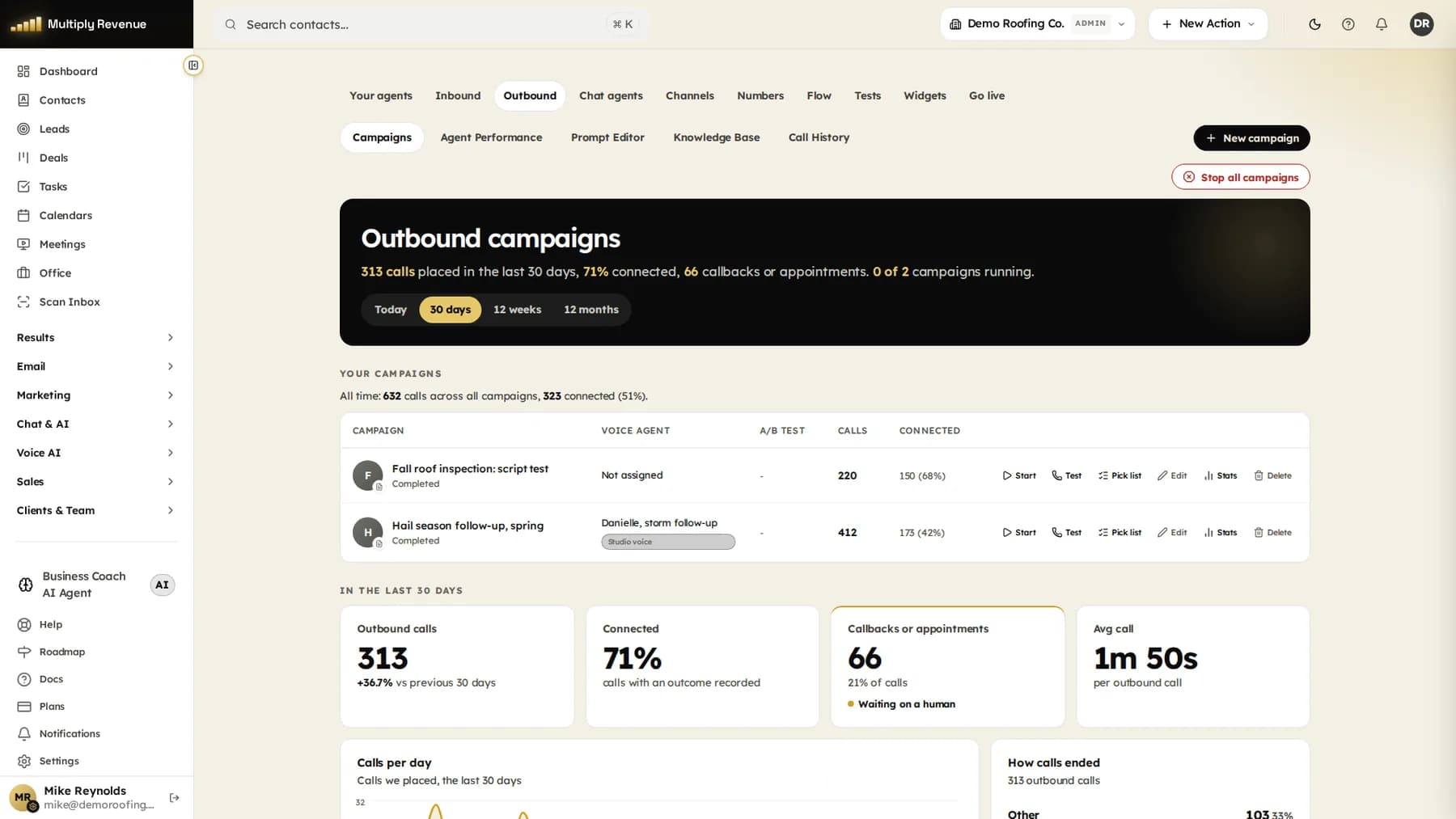
Multiply Revenue: a CRM with AI sales agents built in that call and email the leads who agreed to hear from you, text them from your own Android phone, follow up until they answer and book the meeting. $97, $297 or $497 a month for unlimited users, with no setup fee.
06
Startup CRM Pricing: Per Seat Plans, Annual Billing and Hidden Costs
Startup budgets are tight, so it pays to understand how CRM pricing actually works before you commit.
Per seat pricing: most CRMs charge per user per month. A $30 plan for 3 founders is $90 a month. The same plan for a 15 person team is $450, and that is before any upgrade. Count everyone who needs access, including customer success and the founders who only check in.
Annual versus monthly billing: the headline price on most pricing pages is the annual rate, often around 20 percent below the monthly price (folk and Attio both show 20 percent), paid up front. Monthly billing keeps cash in the bank and lets you switch if the tool does not fit.
Minimum seats: some plans require a minimum number of users, which can double the real cost for a two person startup.
Add ons: calling, texting, AI assistants, data enrichment and extra automation are often sold separately on top of the plan.
Startup discounts: programs like HubSpot for Startups cut the first year sharply. Plan for the year after the discount, not just year one.
A simple way to compare: price the plan you would really use, for the team you will have in 12 months, on the billing you would choose, with the add ons you need. Multiply Revenue keeps that sum short: one monthly price for unlimited users, month to month, no setup fee, plus AI agent time at 8 to 10 cents a minute inbound and 16 to 18 cents a minute outbound, depending on the plan, with calls on your own carrier account.
07
Founder-Led Sales: Using a CRM Before Your First Sales Hire
In most startups the first sales team is the founders. Founder-led sales works because nobody understands the product or the customer's problem better. It fails for a predictable reason: the founder is also building, hiring and fundraising, and outreach is the job that slips first.
A CRM helps founder-led sales in three ways. It keeps the history, so a conversation can pick up weeks later without starting over. It surfaces what needs attention today, so the follow ups that matter happen. And it turns what you learn on calls into a repeatable process your first sales hire can follow.
Keep the setup light. Use a handful of pipeline stages that describe what the customer does, not what you do: interested, call booked, trial, proposal, closed. Write down the questions that qualify a good lead. Review the pipeline once a week, even if only you look at it.
The hard part is not tracking, it is reaching out consistently. That is the gap Multiply Revenue is built for. Its AI agents call a list you provide, the leads who agreed to hear from you, text them from your own Android phone, follow up until they answer and put the meeting on your calendar, so outbound keeps running on the days the company takes all your time.
08
How to Set Up Your Startup CRM in One Week
You do not need a consultant to set up a CRM for a startup. A focused week is enough.
Day 1, import: pull contacts from your spreadsheets, Gmail and LinkedIn exports. Remove duplicates. Keep only the fields you will actually use.
Day 2, pipeline: create five or six stages that match how deals really move, then place every open deal in the right stage with a next step and a date.
Day 3, connect: link your email and calendar, add your website forms and connect any tools that create leads.
Day 4, automate: set reminders for overdue follow ups and one sequence for new leads, so nobody waits more than a day for a reply.
Day 5, report: build one simple dashboard with new leads, meetings booked, pipeline value and deals won. Look at it every Monday.
After that, change one thing a week based on what the numbers show. A simple system the whole team uses beats a perfect one nobody opens.
09
Common Mistakes Startups Make When Choosing a CRM
Most CRM regrets come from a handful of mistakes that are easy to avoid.
Buying for the company you hope to be: an enterprise platform with features you will not use for three years, at a price that grows with every hire.
Choosing on the free plan alone: a free CRM is a good start, but check what the paid plan you will need next actually costs.
Too much customization too early: dozens of custom fields and stages make the CRM slow to use and nobody fills them in.
Ignoring data entry: if every call and email has to be logged by hand, the data will be incomplete within a month.
No owner: someone has to keep the pipeline honest. In an early startup that is a founder.
Tracking without acting: a perfect pipeline is worthless if nobody follows up. Measure meetings booked, not just records created.
10
Choosing a CRM by Startup Type: B2B SaaS, Services and Marketplaces
The best CRM for a startup depends a lot on what you sell and how you sell it.
B2B SaaS startups: deals involve several people at the customer, demos, trials and a contract. Look for strong company and contact records, deal stages that include trial and procurement, email sequences, integration with your product data so you can see who is actually using the trial, and reporting on monthly recurring revenue in the pipeline.
Service startups and agencies: you sell projects or retainers, then deliver the work. A CRM with simple project management, proposals and handoff from sales to delivery saves a second tool. Insightly is one example that combines the two.
Marketplaces and two sided platforms: you are selling to two groups, such as buyers and suppliers, often with very different processes. Separate pipelines for each side, good tagging and bulk outreach matter more than complex deal tracking.
Consumer startups with a sales team: high volume, short sales cycles and lots of inbound. Speed to lead, phone and text follow up and automation matter most, because a lead that waits an hour is often gone.
Hardware and deep tech: long cycles with pilots and partners. Relationship tracking, notes and task management count more than sales automation.
Whatever your model, write down how a deal really moves from first contact to signed customer, then pick the platform that fits that path with the fewest workarounds.
11
Questions to Ask During a CRM Free Trial or Demo
Most CRM platforms offer a free trial, often 14 days. Use it to test the work you will really do, not the demo the vendor wants to show.
How long does it take to log a call, add a note and move a deal? Count the clicks for your five most common tasks.
Does email sync work with your Gmail or Outlook without manual logging, and does it handle shared inboxes?
What does the plan you will need in a year cost for the team you will have then, on monthly and annual billing?
Which features in the demo are on the plan you are buying, and which are add ons?
Can you export all of your data, including activity history, if you leave?
What support do you get on your plan: chat, email, phone, or a community forum?
Does it connect to the tools you already use, and is there an API if you need one later?
And the question most demos skip: what happens to a new lead in the first hour if nobody on your team is free? If the answer is that it waits, decide whether that is acceptable for your business.
12
When to Switch or Scale Up Your Startup CRM
A CRM that was right at pre-seed may not be right at Series A. The signs it is time to upgrade or switch: your team works around the CRM in spreadsheets, reports take hours to build, the plan you need next costs more than the value it adds, or the tool cannot connect to the systems you now rely on.
Before switching, export everything and check the new platform can import your contacts, deals, notes and activity history. Run both side by side for a short period, then move the team on a single date.
If you already like your CRM and simply need more outreach, you may not need to switch at all. Multiply Revenue sends every finished call to your CRM automatically (through a webhook) and imports or exports contacts by CSV, so its AI agents can call and follow up on leads you bring in from the CRM you already use.
The one that reduces the work rather than adding to it. Most CRMs are built for a sales team that already exists: they assume somebody is there to log activity, update stages and work a queue. A founder has none of that time. The useful test is whether the software will contact a lead on its own, or whether it simply stores the lead and waits for you.
Do startups even need a CRM before their first sales hire?+
You need the conversations to happen and the details to be somewhere other than your head. Whether that is called a CRM matters less than whether anything is reaching out. A spreadsheet works right up until the moment you are too busy to open it, which is usually the same week things start working.
What does founder-led sales actually look like day to day?+
Selling in the gaps. Calls between building, demos between investor conversations, follow up that slips because something more urgent appeared. The pattern is not laziness, it is that the founder is the bottleneck for several jobs at once, and outbound is the one with no deadline attached, so it is always the one that gets dropped.
How does this compare to hiring a first sales rep?+
A first hire takes time to source, onboard and get productive, and the outcome is uncertain until well after the money is spent. Software that makes the calls starts the same week, works the hours you cannot, and does not need managing. Most founders end up doing both eventually, and using the agent first means the rep arrives to a pipeline instead of a blank list.
Will it work if we have almost no leads yet?+
That is the case it is built for. The agent calls the list you provide and starts conversations, and our in-market data adds businesses to reach by email and ads, rather than waiting for inbound that is not there yet. If you already have steady inbound and simply need it organised, an ordinary CRM will serve you fine and we will tell you so.
How long does setup take?+
Your onboarding team member sets it up with you rather than handing you a blank account. That covers what the agent says, who gets called and where the meetings land. There is no engineering work on your side and nothing to integrate before the agent can make the first call.
Is there a free CRM for startups?+
Yes. As of October 2026, HubSpot is free for up to 2 users, Zoho CRM for up to 3 users, Attio for up to 3 seats and Capsule for up to 2 users, all read from their own pricing pages. Free plans cover contacts and deals well and usually leave out automation, sequences and advanced reporting.
Does HubSpot have a startup discount?+
Yes. Its HubSpot for Startups program lists up to 90 percent off the first year for eligible pre-seed, seed and Series A startups through an approved partner or verified funding, then 50 percent in year two and 25 percent in year three, on Professional and Enterprise products. Check hubspot.com/startups for the current terms.
How much should a startup spend on a CRM?+
Enough to save more selling time than it costs. Most startup teams pay from nothing on a free plan to roughly $15 to $50 per user a month on paid plans. Price it for the team you will have in a year, with the add ons you need, before you commit to annual billing.
See it sell on your market.
Fifteen minutes on the phone. Hear it call a list like yours, then decide.
One email a month on what is booking meetings in real call data, and what we changed because of it.
Multiply Revenue
AI CRM software with agents that call your leads in a natural voice, follow up by email and by text from your own Android phone, and book meetings onto your calendar. Outbound and inbound, on one memory.
No setup fee on any plan, and no per-text charge from us.

















 Multiply Revenue